
The Power of CMS Web Design
In the ever-evolving world of web design, Content Management Systems (CMS) have emerged as powerful tools that revolutionise the way websites are created and managed. A CMS enables users to build, edit, and update websites without the need for extensive technical knowledge or coding skills.
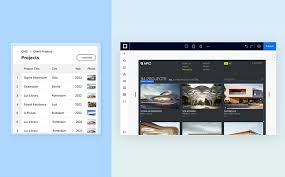
One of the key advantages of CMS web design is its user-friendly interface. With a CMS, content creators can easily add text, images, videos, and other media to their website through a simple editor. This accessibility empowers users to take control of their online presence and make real-time updates without relying on web developers.
Furthermore, CMS platforms offer a wide range of templates and themes that allow users to customise the look and feel of their websites with ease. Whether you’re a small business owner looking to establish an online presence or a large corporation in need of a robust website solution, CMS web design provides the flexibility to create a site that aligns with your brand identity.
Another significant benefit of CMS web design is its scalability. As your business grows and evolves, you can easily expand your website’s functionality by integrating plugins and extensions available in the CMS ecosystem. This adaptability ensures that your website remains dynamic and responsive to changing market demands.
Moreover, CMS platforms often come with built-in SEO tools that help improve your website’s visibility on search engines. By optimising meta tags, URLs, and content structure within the CMS interface, you can enhance your site’s ranking and attract more organic traffic.
In conclusion, CMS web design offers a cost-effective solution for creating professional-looking websites that are easy to manage and scale. Whether you’re a novice or an experienced web developer, embracing CMS technology can elevate your online presence and propel your business towards success in the digital landscape.
Understanding CMS in Web Design: Top 10 FAQs Explained
- What is CMS platform?
- What is a CMS vs CRM?
- What is CMS by design?
- Is HTML a CMS?
- What are the 3 different types of CMS?
- What is a CMS website examples?
- What is CMS vs HTML?
- Is CMS same as HTML?
- What is CMS in web design?
- What is the CMS website used for?
What is CMS platform?
A CMS platform, short for Content Management System platform, is a software application that enables users to create, manage, and modify digital content on a website without the need for advanced technical skills. Essentially, a CMS platform serves as a user-friendly interface that allows individuals to add and update text, images, videos, and other media elements to their website effortlessly. This tool streamlines the web design process by providing templates and themes for customisation, making it easier for users to establish an online presence that aligns with their brand identity. By simplifying content management and website maintenance tasks, CMS platforms empower users to take control of their online content and enhance their digital presence effectively.
What is a CMS vs CRM?
When discussing CMS (Content Management System) versus CRM (Customer Relationship Management), it’s important to understand their distinct roles in the digital realm. A CMS is primarily focused on managing and delivering content on websites, allowing users to create, edit, and publish web pages with ease. On the other hand, a CRM system is designed to streamline interactions with customers, storing and organising data related to sales, marketing, and customer service. While a CMS empowers businesses to enhance their online presence through content creation, a CRM system enables them to build and nurture relationships with customers by centralising customer information and improving communication strategies. Both systems play crucial roles in digital operations but serve different purposes in enhancing overall business efficiency and engagement.
What is CMS by design?
CMS by design refers to the intentional approach of incorporating a Content Management System (CMS) into the website development process from the outset. By designing a website with CMS functionality in mind, users can benefit from a streamlined content creation and management experience. This proactive strategy ensures that the website structure, layout, and features are optimised to leverage the capabilities of the CMS platform, allowing for easier updates, customisations, and scalability. Ultimately, CMS by design empowers users to efficiently maintain and enhance their websites without compromising on design or functionality.
Is HTML a CMS?
In the realm of CMS web design, a common query often arises: Is HTML a CMS? The answer is no. While HTML (Hypertext Markup Language) serves as the foundation for creating web pages by defining their structure and content, it is not a Content Management System (CMS) in itself. Unlike CMS platforms that offer user-friendly interfaces for website creation and content management, HTML requires manual coding and lacks the dynamic capabilities provided by CMS systems. Understanding this distinction is crucial for those navigating the diverse landscape of web design technologies.
What are the 3 different types of CMS?
When exploring the realm of CMS web design, one frequently asked question is: “What are the 3 different types of CMS?” The three primary types of Content Management Systems are traditional or self-hosted CMS, cloud-based or SaaS CMS, and headless CMS. Traditional CMS systems require hosting on a server and offer full control over customisation. Cloud-based CMS solutions are hosted on the provider’s servers, offering scalability and accessibility from any location. Headless CMS separates content management from presentation, allowing for greater flexibility in delivering content across various platforms. Each type of CMS caters to different needs and preferences, providing users with diverse options to create and manage their digital content effectively.
What is a CMS website examples?
A Content Management System (CMS) website is a platform that allows users to create, edit, and manage digital content without the need for advanced technical skills. Examples of popular CMS websites include WordPress, Joomla, and Drupal. These platforms provide users with a user-friendly interface to customise their websites with themes, plugins, and various content types such as text, images, and videos. With a CMS website, individuals and businesses can easily update their online presence, enhance user experience, and expand their digital footprint efficiently.
What is CMS vs HTML?
When comparing CMS (Content Management System) to HTML (Hypertext Markup Language), it’s essential to understand the fundamental difference between the two. HTML is the standard markup language used to create the structure of web pages, defining elements such as headings, paragraphs, images, and links. On the other hand, a CMS is a software application that allows users to manage and update website content without directly manipulating HTML code. While HTML requires coding skills to create and modify web pages, a CMS offers a user-friendly interface that simplifies content creation and editing processes for individuals without technical expertise. Ultimately, CMS streamlines website management by providing a dynamic platform for content publishing and maintenance, whereas HTML necessitates manual coding for every webpage modification.
Is CMS same as HTML?
When considering CMS web design, it’s important to understand that CMS (Content Management System) and HTML (Hypertext Markup Language) are not the same. While HTML is a markup language used to create the structure and content of web pages, CMS is a software application that simplifies the process of managing and updating website content. HTML requires manual coding for each element on a webpage, whereas CMS allows users to add, edit, and publish content through a user-friendly interface without the need for extensive coding knowledge. In essence, HTML forms the foundation of web design, while CMS provides a dynamic platform for content creation and management.
What is CMS in web design?
In the realm of web design, CMS stands for Content Management System. A CMS is a software application that empowers users to create, edit, and manage digital content on websites without requiring advanced technical skills. Essentially, CMS streamlines the process of website development by providing an intuitive interface where users can easily add text, images, videos, and other elements to their site. This system simplifies content updates and allows for seamless website maintenance, making it a valuable tool for individuals and businesses seeking an efficient way to control their online presence.
What is the CMS website used for?
A CMS website is primarily used for simplifying the process of creating, managing, and updating online content. It serves as a user-friendly platform that allows individuals and businesses to easily publish text, images, videos, and other media on their websites without requiring advanced technical skills. By providing a structured interface for content management, a CMS website empowers users to maintain an engaging online presence, make real-time updates, customise the design of their site, and enhance its functionality with plugins and extensions. Ultimately, a CMS website streamlines the web design process and enables users to efficiently control the content displayed on their websites.