
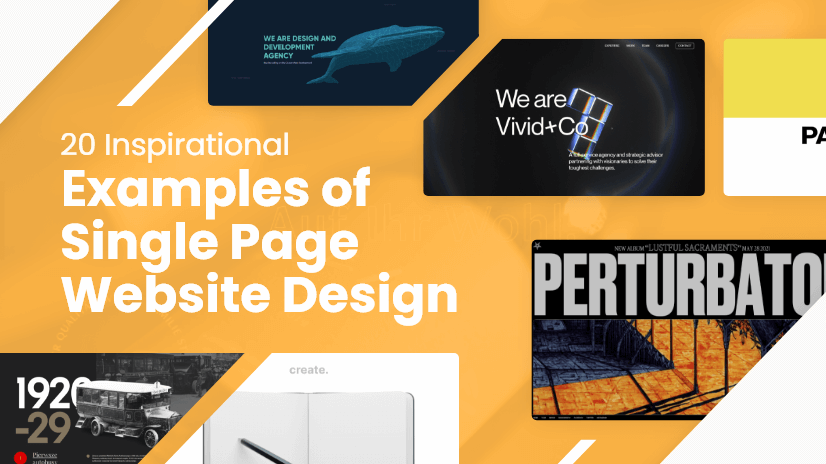
The Power of One Page Website Design
In today’s fast-paced digital age, attention spans are shorter than ever. Users want information quickly and efficiently, making one page website design a popular choice for businesses and individuals looking to make a strong online presence.
One page websites, as the name suggests, consist of a single page that offers all the necessary information in a streamlined and visually appealing manner. This design approach eliminates the need for users to navigate through multiple pages, providing a seamless browsing experience.
Benefits of One Page Website Design:
- Simplicity: One page websites are simple and straightforward, ensuring that users can easily find the information they need without getting lost in complex navigation menus.
- User-Friendly: With all content on a single page, users can scroll through the website effortlessly and access relevant sections with just a click.
- Mobile-Friendly: One page websites are often responsive and mobile-friendly, catering to the increasing number of users accessing the internet on their smartphones and tablets.
- Faster Loading Times: Since there are no additional pages to load, one page websites tend to have faster loading times, improving user experience and reducing bounce rates.
- Showcase Creativity: Designers have the opportunity to showcase their creativity through innovative layouts, animations, and interactive elements on a single page.
Is One Page Website Design Right for You?
While one page website design offers many advantages, it may not be suitable for every type of business or individual. Complex websites requiring extensive content or multiple functionalities may benefit more from traditional multi-page designs. However, for portfolios, event promotions, product launches, or personal branding initiatives, one page websites can be highly effective in conveying key messages concisely.
Ultimately, the decision to opt for a one page website design depends on your specific goals and target audience. Consider your content requirements, design preferences, and user expectations before choosing this modern approach to online presence.
Top 6 Tips for Designing an Effective One-Page Website
- Keep the design simple and clean to avoid overwhelming visitors.
- Ensure easy navigation with a clear menu and anchor links for quick access to different sections.
- Use high-quality images and graphics to enhance visual appeal.
- Optimize for mobile responsiveness to cater to users accessing the site on various devices.
- Include a clear call-to-action (CTA) to guide visitors on what action to take next.
- Make use of white space effectively to improve readability and overall user experience.
Keep the design simple and clean to avoid overwhelming visitors.
When designing a one page website, it is crucial to keep the design simple and clean to prevent overwhelming visitors. By maintaining a minimalist approach with clear navigation and uncluttered layouts, you can create a user-friendly experience that allows visitors to focus on the essential information without distractions. A clean design not only enhances visual appeal but also improves usability, ensuring that users can easily navigate the website and find what they are looking for efficiently.
Ensure easy navigation with a clear menu and anchor links for quick access to different sections.
When implementing a one page website design, it is crucial to prioritise user experience by ensuring easy navigation. A clear menu and strategically placed anchor links can enhance accessibility, allowing visitors to swiftly navigate between different sections of the website. By incorporating these elements, users can easily find the information they seek and seamlessly move through the content without any confusion or frustration. This intuitive navigation system not only improves user engagement but also contributes to a positive overall browsing experience on a one page website.
Use high-quality images and graphics to enhance visual appeal.
To enhance the visual appeal of your one page website design, it is crucial to utilise high-quality images and graphics. Compelling visuals not only capture the attention of visitors but also convey professionalism and creativity. By incorporating visually striking elements, such as stunning photographs or custom illustrations, you can create a memorable and engaging user experience that reinforces your brand identity and message effectively. Remember, a picture is worth a thousand words – make sure your visuals speak volumes on your one page website.
Optimize for mobile responsiveness to cater to users accessing the site on various devices.
In the realm of one page website design, a crucial tip is to prioritise mobile responsiveness to accommodate users accessing the site on a multitude of devices. With the increasing reliance on smartphones and tablets for browsing, ensuring that your one page website is optimised for different screen sizes and resolutions is paramount. By embracing mobile responsiveness, you enhance user experience, engagement, and overall accessibility, ultimately catering to the diverse needs of your audience in today’s digital landscape.
Include a clear call-to-action (CTA) to guide visitors on what action to take next.
In the realm of one page website design, a crucial tip is to incorporate a clear call-to-action (CTA) that directs visitors on the desired action to take next. Whether it’s signing up for a newsletter, making a purchase, or contacting the business, a well-defined CTA serves as a navigational beacon, guiding users towards meaningful interactions and conversions. By strategically placing compelling CTAs throughout the page, businesses can effectively engage visitors and drive them towards their intended goals, enhancing user experience and maximising the website’s effectiveness.
Make use of white space effectively to improve readability and overall user experience.
Effective use of white space is crucial in enhancing the readability and overall user experience of a one page website design. By strategically incorporating ample white space around elements such as text, images, and buttons, designers can create a visually balanced layout that guides users’ attention and reduces cognitive overload. White space not only improves readability by allowing content to breathe but also contributes to a sense of elegance and sophistication. When used thoughtfully, white space can elevate the design aesthetic and make the browsing experience more enjoyable for visitors.