
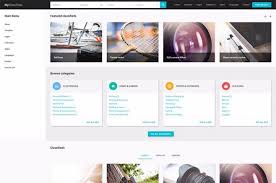
Joomla Web Design: Building Flexible, Feature-Rich Websites
Joomla web design combines the flexibility of the Joomla content management system with thoughtful visual design and a clear, user-friendly structure. It can be a practical choice for organisations that need more than a simple brochure website, especially when their site will include multiple sections, different types of content or several contributors.
What is Joomla?
Joomla is an open-source content management system (CMS) used to create and manage websites. A CMS allows authorised users to update pages, publish articles and organise content through an administrative interface, rather than editing website code for every change.
Joomla provides a foundation for a wide range of websites, from business and community sites to membership platforms and online publications. Its features can be extended with templates and extensions, allowing a site to be tailored to its audience and purpose.
What does Joomla web design involve?
Effective Joomla web design is about more than choosing a template. It brings together the site’s structure, appearance and functionality so that visitors can find information easily and administrators can maintain it confidently.
- Planning the site structure: Organising pages and content into a clear, logical hierarchy.
- Designing the user experience: Making navigation and important actions easy to understand.
- Creating a consistent visual identity: Applying suitable colours, typography, imagery and page layouts.
- Configuring Joomla: Setting up menus, user permissions, content categories and other core features.
- Adding functionality: Selecting suitable extensions for requirements such as forms, events or multilingual content.
- Testing and optimisation: Checking performance, accessibility, security and compatibility across devices.
Why choose Joomla for a website?
Joomla offers a balance between ease of content management and the ability to build more structured, customised websites. Its user and access-control options can be useful when several people need to contribute, but should have different permissions. Categories and menus also help organise substantial amounts of content.
The platform can be extended as a website’s needs develop. However, extensions should be chosen carefully: installing unnecessary or poorly maintained add-ons can make a site harder to manage and may create security or compatibility issues.
Responsive design and accessibility
Visitors may access a website on a mobile phone, tablet, laptop or desktop computer. A responsive Joomla website adapts its layout to different screen sizes, keeping text readable and controls usable without unnecessary scrolling or zooming.
Accessibility should also be considered from the outset. Clear headings, descriptive links, sufficient colour contrast, meaningful image text and keyboard-friendly navigation can make a site easier to use for a wider range of people. Accessibility is not a finishing touch; it is part of good design.
Search engine optimisation
Joomla can support search engine optimisation (SEO), but good results depend on the quality and organisation of the website as a whole. Useful practices include writing clear page titles and descriptions, using descriptive URLs, structuring content with headings and providing helpful, original information.
Technical factors matter too. Fast-loading pages, mobile-friendly layouts, secure browsing and a logical internal linking structure can contribute to a better experience for visitors and search engines alike.
Security and ongoing maintenance
A website needs attention after launch. Joomla’s core software, templates and extensions should be kept up to date, with updates tested and applied as part of a regular maintenance routine. Strong passwords, appropriate user permissions, reliable backups and secure hosting are also important.
Before adding an extension, check that it is actively maintained, compatible with the site’s Joomla version and suitable for the intended purpose. A smaller, well-managed set of extensions is often easier to support than a site filled with overlapping tools.
Choosing the right Joomla design approach
A pre-built template can provide a cost-effective starting point, particularly for a website with straightforward requirements. A customised design offers more control over the brand, layout and user journey, but usually involves more planning and development.
The right approach depends on the website’s goals, content, budget and plans for future growth. Before design begins, it helps to identify the intended audience, the key information visitors need and the actions they should be able to take.
Conclusion
Joomla web design can deliver a flexible, manageable website when the platform is matched to the project and built around the needs of its users. With a clear structure, responsive and accessible design, carefully selected functionality and regular maintenance, a Joomla site can provide a dependable foundation for an organisation’s online presence.
Top 10 FAQs About Joomla Web Design and Its Relevance Today
- What is Joomla used for?
- What is Joomla in web design?
- Is Joomla good for a website?
- What is Joomla website used for?
- What is Joomla design?
- Does anyone still use Joomla?
- Can I create a website with Joomla?
- Do people still use Joomla?
- Is Joomla still relevant in 2025?
- How do I create a website using Joomla?
What is Joomla used for?
Joomla is a content management system (CMS) used to build and manage websites, from business and community sites to online publications and membership platforms. It lets users publish and organise content without needing to edit code for every update, while templates and extensions can add design options and features such as forms, event listings or multilingual content.
What is Joomla in web design?
In web design, Joomla is an open-source content management system (CMS) used to build and manage websites. It provides tools for organising pages, publishing content and controlling user access, while templates shape a site’s appearance and extensions add features such as contact forms or event listings. Joomla can suit websites with more complex content or multiple contributors, and it allows authorised users to make updates without editing code directly.
Is Joomla good for a website?
Yes, Joomla can be a good choice for a website, particularly if you need flexible content management, a clear structure for multiple sections, or different access levels for contributors. It can support a range of websites and be extended with additional features, though the best choice depends on your goals, technical requirements and available maintenance support. For a simpler site, another platform may be easier to manage; with any CMS, regular updates, security checks and backups are important.
What is Joomla website used for?
Joomla is used to build and manage websites, from business and community sites to online publications, membership platforms and multilingual websites. Its content management tools let users publish and organise pages without editing code, while templates and extensions can add features and tailor the site to specific needs.
What is Joomla design?
Joomla design is the process of planning and creating a website using Joomla, a content management system. It includes shaping the site’s layout and visual style, organising pages and menus, and configuring features such as forms or user access. Good Joomla design makes a website attractive, easy to navigate and straightforward to update, while ensuring it works well on mobile devices and meets the needs of its audience.
Does anyone still use Joomla?
Yes, Joomla is still used to build and manage websites, particularly by organisations that need flexible content structures, multilingual features or detailed user permissions. Like any content management system, it may suit some projects better than others, so the choice depends on a site’s requirements, available expertise and ongoing maintenance plans. Joomla continues to be developed, and sites using it should keep the core software, templates and extensions up to date.
Can I create a website with Joomla?
Yes, you can create a website with Joomla. It’s a content management system that lets you build and update pages without needing to code every change, while templates and extensions can help you customise the design and add features. Joomla can be used for anything from a small business website to a larger, more complex site; the best approach depends on your requirements, technical resources and plans for ongoing maintenance.
Do people still use Joomla?
Yes, people still use Joomla. It remains an actively maintained content management system used by businesses, organisations and publishers to build and manage websites. While WordPress and other platforms may be more familiar to some users, Joomla can still be a good fit for sites that need flexible content organisation, detailed user permissions or multilingual features. The best choice depends on your project’s requirements, budget and the support available to maintain the site.
Is Joomla still relevant in 2025?
Yes, Joomla is still relevant in 2025, particularly for websites that need flexible content management, multilingual features or detailed user permissions. It remains an open-source platform with ongoing development and a range of extensions, making it a capable choice for businesses, organisations and community websites. However, it is not automatically the best fit for every project: compare its features, available support and maintenance requirements with alternatives such as WordPress or other platforms before deciding.
How do I create a website using Joomla?
To create a website using Joomla, choose a web host that supports Joomla and install the latest version, either through the host’s control panel or by following Joomla’s installation guide. Then sign in to the administrator area to choose a template, set up menus and categories, and add your pages and other content. Install only the extensions you need, and make sure the design works well on mobiles and is accessible. Before launch, test your links and forms, check site security and performance, and set up regular updates and backups.